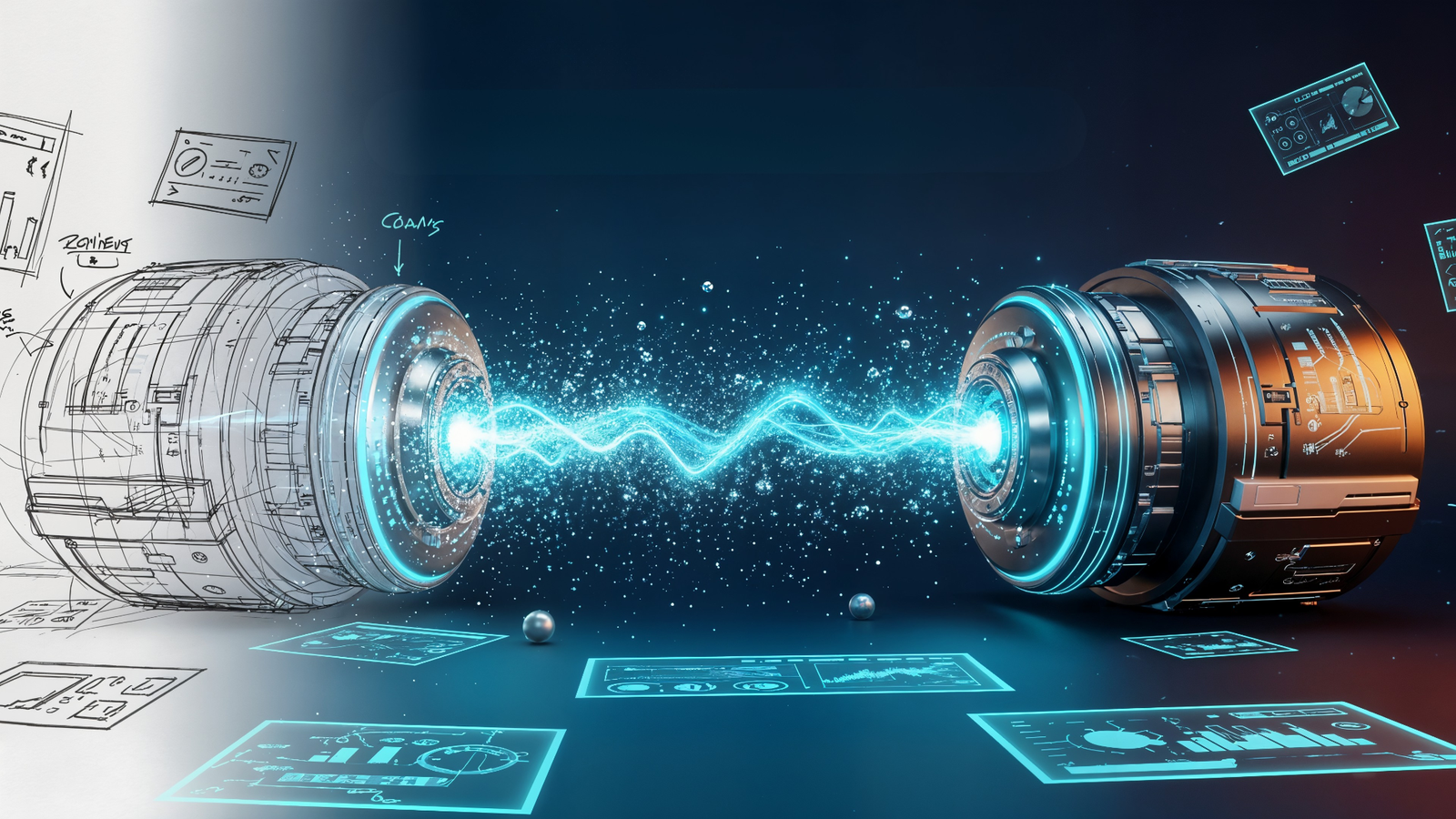
In the world of AI image generation, relying solely on text prompts is like trying to build a house with a vague description. For professional design work, especially when an Art Director hands you a specific wireframe or rough sketch, unpredictable text prompts simply don’t cut it. Consequently, the expectation is a precise, geometrically faithful composition—not a random AI interpretation.
To graduate from hobbyist AI user to professional visual asset creator, you must master the ima workflow. In essence, this technique forces the AI to respect the geometry, structure, and composition of your visual references. This gives you the creative control necessary to turn simple ideas into high-fidelity commercial assets.
The Image Pipeline: Integrating Your Visual Blueprint
The core of a professional AI design process is ensuring your reference image acts as the blueprint. Furthermore, the text prompt should serve only as the style and detail layer. This is where the Image Pipeline comes into play: a structured process for uploading and integrating your visual assets so the AI builds on top of your design.
Preparing the Visual Reference for the AI
Whether it’s a hand-drawn napkin scribble, a simple mood board, or a high-fidelity wireframe , the image must be prepared. For best results:
- Keep it clean: Ensure the geometry and core composition are clear. Remove unnecessary clutter.
- Match Aspect Ratio: Crop your reference image to the same aspect ratio (e.g., 16:9, 1:1) you plan to generate to avoid unwanted cropping or distortions in the final output.
- Get a URL: Upload your reference image to generate a direct URL that the AI model (like Midjourney or Stable Diffusion) can access and use as part of the prompt.
Structuring the prompt
The prompt is no longer just a description. It’s a formula that starts with your visual reference, followed by the text description and then key technical parameters.
- Syntax Example (Midjourney/Similar):
[Image_URL] a futuristic cityscape at dusk, cinematic lighting, 8k, photorealistic --iw <Weight_Value>
Mastering Image Weight: The --iw Parameter
The secret to professional control in image-to-image workflows lies in a technical deep dive into the Image Weight parameter. This is often denoted as --iw (or similar phrasing in other models). Crucially, this parameter directly controls the balance between your visual reference and your text prompt.
| Parameter (–iw) Value | Influence of Reference Image | Resulting Output |
| 0.25 – 0.75 (Lower Weight) | Prioritizes the Text Prompt | The AI uses the image for inspiration only. Composition may change drastically. |
| 1.0 (Default/Mid-range) | Balanced Influence | A good starting point, often balancing the composition of the image with the style of the text. |
| 1.5 – 3.0 (Higher Weight) | Prioritizes the Reference Image | The AI strictly adheres to the image’s geometry, composition, and layout while applying the text prompt’s style. (Ideal for wireframes/sketches) |
By setting a higher image weight (e.g., --iw 2), you are explicitly telling the AI: “First, respect the layout of the sketch, and second, apply the description of ‘futuristic cityscape.'” This is the crucial step that professionalizes the AI image generation process. It moves the process from random interpretation to precise execution.
Concept to Reality: The Professional Img2Img Workflow
The ability to move from a “napkin scribble” to a fully rendered commercial asset follows a deliberate, multi-stage workflow. This approach ensures maximum creative control and efficiency.
The Sketch/Wireframe (Concept)
- Action: Create a simple, high-contrast sketch or wireframe. Focus purely on layout, geometry, and key object placement. Details are not necessary.
- Goal: Establish the non-negotiable composition the client expects.
Base Generation (The Pipeline)
- Action: Upload the sketch. Write a short, clear text prompt describing the style (e.g., “photorealistic 3D rendering, hyper-detailed, cinematic lighting”). Use a high Image Weight (e.g.,
--iw 2.5). - Goal: Generate the first set of images that perfectly adhere to your layout but with the desired high-fidelity aesthetic.
Refinement and Iteration (The Edit)
- Action: Use the best output from Step 2 as a new Image Reference. (Now you’re refining a detailed image, not a sketch.) Lower the
--iwslightly (e.g.,--iw 1.5). Introduce specific refinement prompts (e.g., “add volumetric fog,” “change the car to red,” “soft shadows”). - Goal: Fine-tune details, color palettes, and lighting without losing the initial composition. This is where LLMs and natural language processing can speed up your prompt writing immensely.
Final Asset Creation
- Action: Generate the final asset. Perform non-destructive post-processing (touch-ups, color grading) in external software.
- SEO & Google AI Overviews Check: Ensure the final images are optimized for SEO with descriptive file names, title tags, and rich Alt Text. Therefore, the Alt Text must clearly describe the image’s content and its relevance to the surrounding text. This aids both general image search and the ability of Google’s AI Overviews to cite your content as a source. Use structured data (like How-To schema) around your workflow content to increase the chances of being featured in AI-driven search results.
By shifting your focus from hoping the AI gets the geometry right to forcing it to comply via the image-to-image workflow, you unlock the ability to deliver precise, on-spec visual assets every single time. This is the difference between playing with AI and integrating it professionally into a commercial design pipeline.
Frequently Asked Questions
Image-to-Image AI is a generative process that takes an existing source image as its primary input and transforms it into a new target image, guided by a secondary input, typically a text prompt. Its core function is to reinterpret, edit, or apply style transfer** to the input image rather than creating an image from scratch.
The Denoising Strength is the critical control parameter. It determines the balance between the input image’s original composition/detail and the text prompt’s instructions. A low strength preserves most of the original image, while a high strength allows the Image-to-Image AI to introduce significant structural changes, resulting in a radical reinterpretation.
The primary commercial applications of Image-to-Image include: Style Transfer (converting photos into different artistic styles), Product Visualization (rapidly altering product details), Creative Editing (generating variations of existing assets), and Sketch-to-Render (turning simple drawings into photorealistic images).
Standard software requires manual, pixel-level manipulation. Image-to-Image performs semantic, context-aware transformation based on a natural language prompt. It allows users to conceptually describe the desired change (e.g., “make this a neon-lit cyberpunk street”) rather than executing the change layer by layer.
The primary concern is the unauthorized modification of copyrighted or private source images. Since the output is a derivative work of the input image, questions arise regarding Copyright (who owns the result?) and the creation of Deepfakes/Misinformation (the ease of creating realistic but misleading alterations of photographs).